The Digital Storage Revolution: Hard Drives
A couple of months ago, I got an opportunity to see the inner workings of a hard disk, which really blew my mind and was nothing I had ever imagined.
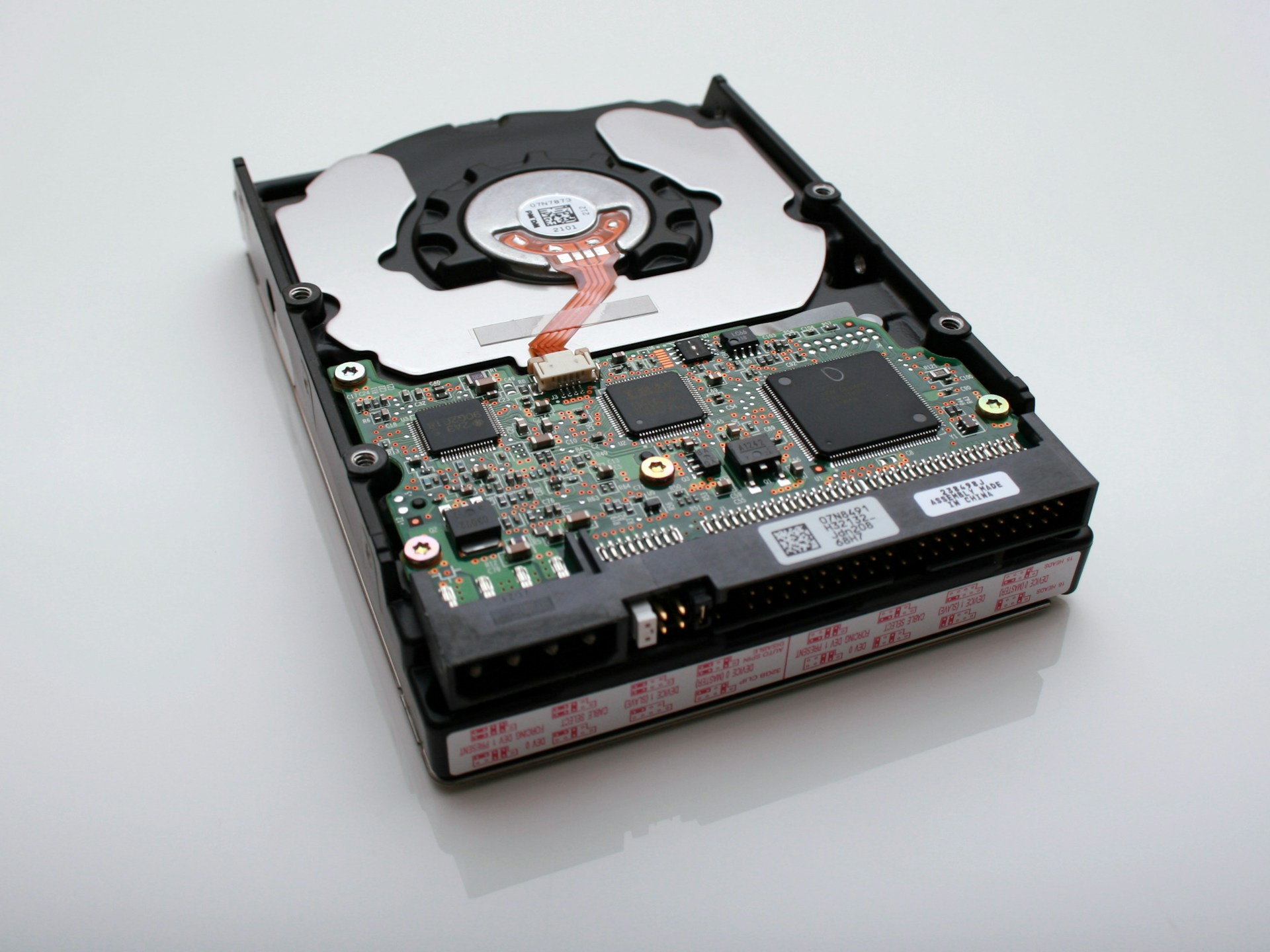
Since childhood, my parents have been vexed by my manners in dealing with old & unused toys. Any non functional product, I made sure it becomes non-repairable as well. I am still unsure of what amused me in revealing the green circuit boards of remote-controlled cars.
Last winter at my father’s office, I was operating an old Windows XP machine and whilst the processing speed bugged me, hearing the fan noises and beep sounds from the CPU took me on a nostalgia trip. That’s where I discovered this big metal box called hard drives, and me being me, decided to test its fate.
Storage devices are often taken for granted, with us being fortunate enough to carry terabytes of data in cases the size of our palm. Tech has travelled a long way from storing data in the form of punch cards to now researchers achieving non-volatile data storage in DNA strands.
At some point in between this transition popped in the ideas that led to the development of now known hard drives. The year 1932 saw use of massive magnetic drums as storage for first gen computers, which made use of the concept of magnetic polarities to store the data. The new hard drives work on a similar principle as well. IBM 350 is considered as the first proper hard disk storage and was utilized in RAMAC, a commercial computer. Fun fact, the total capacity of IBM 350 was just 5 megabytes, almost the size of a picture captured by our smartphones nowadays. Moreover, the storage system was quite enormous, occupying the volume equivalent to two refrigerators. How did this world transcend from these 5 megabytes to storing terabytes of information in much compact forms?
If somehow by now, curiosity ensued in your minds, kudos to me. But before investigating the drives further, glancing over some pre-requisites is a must. Let’s look at that perfectly fake candid photo that your chum clicked with a 64-megapixel camera. We all know that images are comprised of pixels, and its total size depends on multiple factors. Each pixel can be considered a tiny block of a specific shade, defined by three values, RGB (Red, Green, and Blue). Any existing colour is formed by varying the R, G, and B values from 0 to 255, which make up 8 bits. Hence the size of each pixel turns out to be 24 bits. Total pixels multiplied by 24 thus gives us the size of the image in terms of bits.
A computer can only understand and communicate in form of bits, which is the smallest unit of data. Eight bits together make up a byte and 2 bytes form a word and so on. Gratefully, engineers have developed multiple operations and algorithms to convert our interactions with the graphical interface into bits.
The hard disk stores these bits through multiple operations and when requested, returns the information in the same form. These read/write mechanisms occur on spinning platters that are coated with a shallow layer of magnetic material (10-20nm), followed by an outer layer of carbon for protection. This magnetic coating is where the data is stored. With the help of a recording head, present on top and bottom of each platter, magnetic patterns are formed to store the information. Interestingly, each group of magnetic grains represents the binary states, i.e., 0 or 1. Furthermore, these data bits are stored in a concentric circular fashion, also known as tracks. And these tracks consists of sectors, which are the smallest units on a platter, and store approx. 512 bytes. Now when your fake candid is being transferred to the drive, the read-write head or the recording head locates free sectors on the tracks and store the information by altering the magnetic polarities of each magnetic grain.

Figure 1. Labelled image of a hard disk [ref.].
With millions of bits scattered all over the surface of these platters, our devices still manage to show all our files and media with proper structure and every tad bit intact. The low-level and high-level formatting makes this achievable. The two endpoints of each sector are written onto the platter using the former process. High-level formatting then writes the file-storage structures, such as the file allocation table, into the sectors. This process prepares the drive to hold files and makes it usable. In brief, the hard disk keeps track of all the used up and free sectors available, and this map of all sectors is called the File Allocation Table, or FAT.
It's mind-blowing how this machine manages such intricate processes and never fails to deliver what the computer demands. Although its delicacy in dealing with data at such minute levels makes it much more prone to wrecking or malfunction even by small elements like dust particles. And after what I did to my father's drive, I am pretty sure it won't be seeing its working days again.
One cannot admire enough the miracles tech has performed in this industry and what a remarkable piece of engineering these hard drives are. However, its usage in our regular laptops and computers has become obsolete. With SSDs and flash memories replacing traditional hard disks, these can mostly be found in archival storage, owing to their longer life span.
Nevertheless, we must not ignore the substantial boom these devices have caused in the data storage sector. Hard drives to this date are rather trustworthy, affordable, and, to my surprise, offer better storage capacity than SSDs.
In the end, I want to include a disclaimer; in no way do I claim this article to be error-free, and I have presented the information best to my knowledge and research. If you were fascinated by this topic and wish to dive deeper can start by scouring this resource: More about hard drives.